ControlTab Logo ControlTab

Automate your browser with AI. You keep full control.

ControlTab is the extension that allows AI to perform tasks for you on any website, but only when you allow it and with the permissions you define.

πŸ›‘οΈ Decide if the AI can read, click, or write.
🧩 Connect it to OpenAI, Claude, Gemini, etc.

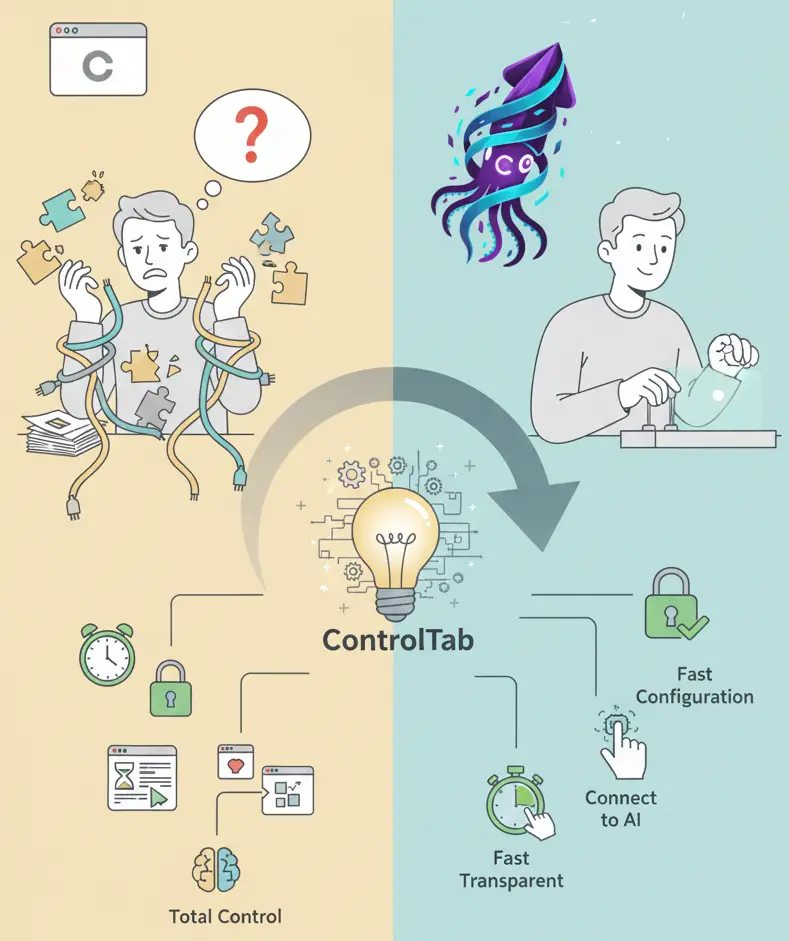
AI in your browser: A frustrating choice

The "Black Box" Risk

The "Black Box" Risk

For AI to do useful tasks, it needs powerful permissions. Current solutions ask for full access and become a "black box" that runs 24/7. You have no real way of knowing what they are looking at, what data they are sending, or how they are protecting your information. You are giving up total control in the hope that the provider will do the right thing with your data.

The "All or Nothing" Solution

You are forced to choose: either you move to a completely new AI browser, or you go without features. These new browsers control everything, all the time. To gain automation, you must give up your usual browser, migrate all your bookmarks and passwords, and give up total control of your privacy in exchange for features you cannot inspect. There is no middle ground.

The "All or Nothing" Solution
Either a Toy or a Nightmare

Either a Toy or a Nightmare

If you try to stay in your current browser, the alternatives are bad. Simple extensions are "toys": they can read text and summarize it, but they can't do anything for you. They can't fill out a form or click a button. Expert tools, on the other hand, are a nightmare to set up, require technical knowledge, and break constantly with every update.

The power of AI, only when you ask for it

ControlTab gives you back control. It is a lightweight extension that works like an expert tool, not a spy watching you 24/7.

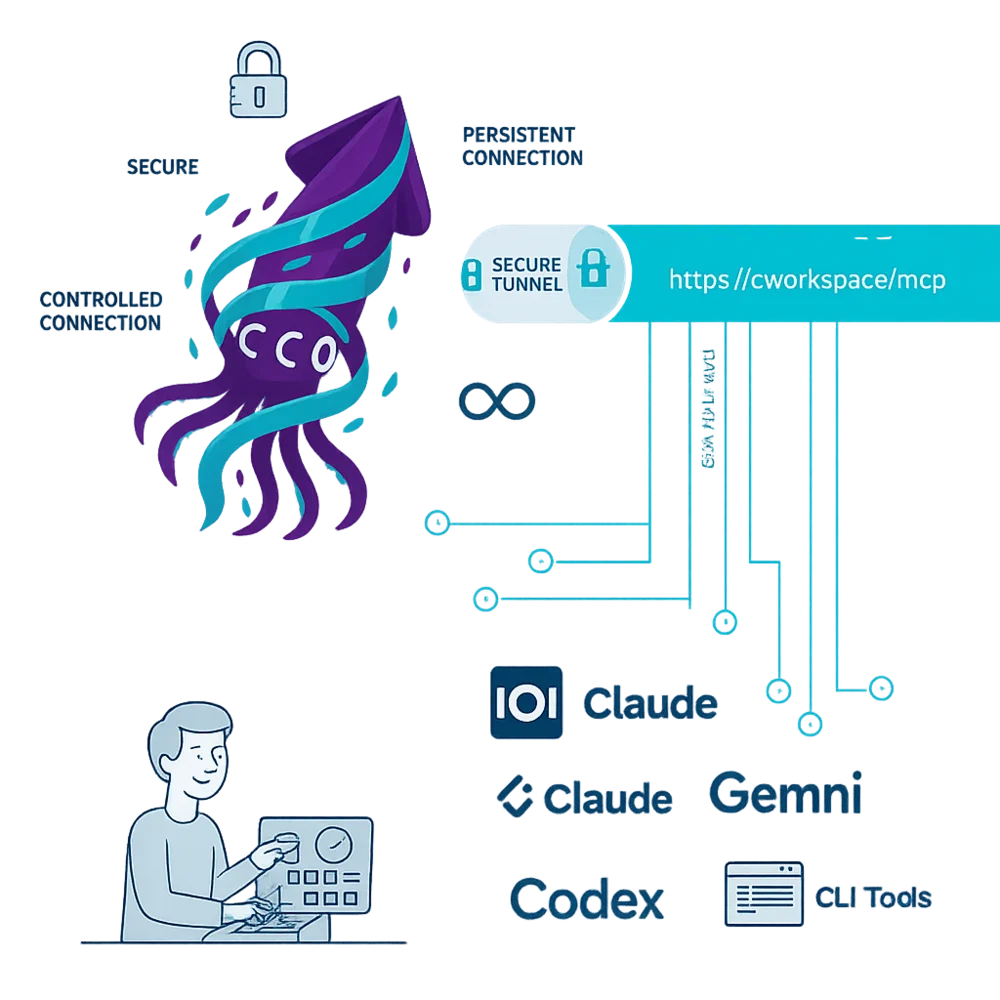
Instead of being "always on", our extension remains inactive until you need it. With a single click on "Connect" in a specific tab, you create a secure connection for the AI to do its job. When you finish, you close it. It is the most powerful automation, but under your direct and explicit control.
ControlTab Solution

Stay in the browser you already use If you use Chrome (or a Chromium-based browser), there is no need to migrate your digital life. ControlTab installs directly into the browser you already know, giving you AI superpowers without having to switch to a "special" AI browser or learn to use new bookmarks or move your passwords.

Without giving up control for a single second Before connecting, you decide exactly what the AI can do. Do you just need to summarize a web page? Activate the "Read Only" permission. Do you need to fill out a form? Add the "Write" permission. You have granular control, tab by tab.

No complex configurations Forget about fragile "tunnels" or "tokens" that break. ControlTab unifies everything in one place. Connect your AI models (OpenAI, Claude, etc.) once and it just works stably, exposing a single secure endpoint for your entire workspace.

The result: You have the best of both worlds. The power of an AI browser with the security and control that you define, only when you define it.

Illustration of the product story

ControlTab was not born as a product, but as a frustration.

We were tired of the "All or Nothing" dilemma that dominates the market: either you gave up your privacy to AI browsers that were "black boxes", or you settled for toy extensions that couldn't do anything useful.

We refused to accept that choice.

We built the tool we wanted for ourselves: one that was "secure by design" first, and powerful later. One where control always remained in the hands of the user, with manual activation and explicit permissions before a single bit of data moved.

The result is ControlTab. It is not another "AI connection"; it is your way of automating the browser with total peace of mind.

The Impact of ControlTab

MOST USED
You Are in Command
πŸ›‘οΈ

The extension remains inactive until you activate it. It is not a 24/7 spy. You click "Connect" on a tab, the AI works. You click "Disconnect" (or close the tab), the connection closes completely.

Clear Rules, Secure Tasks
πŸ”’

Not all tasks are the same. Define what the AI can do before you start. Just summarize? Activate "Read Only". Fill out a form? Add "Write". You set the limits for each type of job.

NEW
Continuous Conversation
πŸ”„

Start a task on one tab and continue on another without losing context. The extension keeps the browser session active for your AI tool, allowing you to research on multiple pages as if it were a single fluid task.

Connect Your Tools
🧩

We don't lock you into a single AI model. ControlTab provides you with a stable MCP endpoint to connect your own tools, whether they are desktop clients, CLI scripts (like gemini-cli) or visual automation platforms (like n8n or Gosse).

Simple Team Management
βš™οΈ

Control everything from a single panel. If you manage a team, you can create separate workspaces for different projects or clients, each with its own permissions and secure connection endpoints.

Ready in 2 Minutes
πŸš€

No complex installations. It is a Chrome extension: install, create your workspace, get your secure endpoint and connect it to your AI tool. You don't need to be a systems engineer to get started.

What can you automate?

ControlTab is the secure "key" you give your AI to act in the browser. It's not just for one industry: it's for anyone with a repetitive task. This is how professionals are using it today.

πŸ’Ό

Professionals, Agencies, and Marketing Teams

Review hundreds of documents, extract data from dashboards, or manage tasks in internal portals without downloading anything or asking for an API. Give the AI "Read Only" access to your portal and ask it to navigate, read, and extract key information for you.

Caso de uso real:

Real use case: "Review the 100 policies on this client's page and tell me which ones do not include the new privacy clause. You do not have permission to edit or delete anything."

πŸ§ͺ

QA Engineers and Testers

Use AI as an automation co-pilot that understands the DOM. Instead of manually inspecting selectors, connect your AI client to the page and ask it to generate the test scripts for you.

Caso de uso real:

Real use case: "Act as an expert QA automator. Connect to this page, inspect the 'checkout' form and all its fields, and generate a complete Cypress script for me that tests the 'happy path' and error cases."

πŸ‘¨β€πŸ’»

Developers

Tired of repetitive tasks in admin dashboards that don't have an API? Connect ControlTab to an n8n flow or a local script. Automate user creation, report extraction, or interface debugging without writing a single line of Puppeteer.

Caso de uso real:

Real use case: "Every morning, log in to my project dashboard, go to the 'Unassigned Tickets' tab and send me a summary on Slack."

πŸ“Š

Data Analysts

Extract data from sites that require login, without ever sharing your credentials. Log in manually to your secure portal. Once inside, connect ControlTab to that tab with "Read Only" permissions. The AI can now operate on the page and extract data without ever having seen the login process.

Caso de uso real:

Real use case: "I have already logged into the sales portal. Now, connect to this tab, apply the 'last 7 days' filters, navigate through the 5 pages of results and extract the sales table in CSV format."

πŸš€ We're in beta phase, take advantage of special launch pricing Limited time offer

ControlTab Plans

Choose the plan that fits your needs

πŸš€

Starter

For individuals

Individual developers, testers, or enthusiasts who want to connect their browser with AI in a simple and secure way.

$24 USD/year

$12 USD/year

Save 50%
  • 1 personal workspace
  • Link Shield - secret URL access
  • Read, navigation, limited execution
  • Standard encryption
  • ControlTab extension included
  • Community support

Ideal if you want to experiment with MCP, automate personal tasks, or connect AI to your browser without complications.

🏒

Enterprise

For companies

Companies with advanced security, compliance, or custom deployment requirements.

Custom

  • Unlimited workspaces
  • Advanced / custom security
  • All Team plan capabilities + extended configuration
  • Advanced / Integrated monitoring
  • Optional corporate encryption
  • Dedicated support with SLA

Ideal if you need to integrate ControlTab into corporate infrastructure or regulated environments.

ControlTab

The safest, simplest, and most unified way to connect your browser with artificial intelligence.

Sign up

Start today

Already have an account? Sign in